
Should I start with a template or a blank page?
Template or blank page? For most users, templates are the fastest path to a conversion-ready site with a ready-made brand. Blank pages suit those with a specific vision.
Last updated August 13, 2026
Start with a template if…

- You want to launch fast. Templates come with sections already arranged in an order that's proven to convert — hero, services, social proof, booking. You just swap in your words, photos, and brand colours.
- You're not sure what a good website needs — or what good design looks like. Every OhhWells template is structured around getting visitors to book, enquire, or buy — not just look pretty. And each one comes with a prepopulated brand (fonts, colours, and styling already working together), so your site looks professionally designed even before you touch anything. You won't accidentally leave out the important bits, and you won't have to guess at design decisions.
- You'd rather edit than build. It's much easier to react to something on the page ("change this, remove that") than to imagine a whole site from nothing.
- This is your first website. Honestly, this is most of our users — and it's the path we recommend.
How it works: Pick a template that's closest to your business type. Don't worry about the exact colours or photos — those all change with your Brand Kit. You're choosing a structure, not a final look.
💡 Tip: Your template is a starting point, not a cage. Every section can be reordered, restyled, swapped, or deleted after you start.
Start with a blank page if…
- You have a very specific vision. You already know exactly what you want, maybe from a sketch or a mood board, and a template's structure would just get in the way.
- You enjoy building by prompting. On a blank page, you describe what you want ("a calming hero section with a photo on the left and a booking button") and the editor builds it with you, section by section.
- Your site doesn't fit a standard shape. A one-page event site, a simple link hub, or something experimental.
Good to know: Starting blank doesn't mean starting alone. You can still prompt for individual sections, pull in pre-built section types, and apply your Brand Kit — you're just deciding the structure yourself.
Can I mix both?
Yes — and this is what many users end up doing:
- Start with a template to get the overall structure.
- Use prompting to customise sections that don't quite fit ("rewrite this section for a pilates studio," "add a pricing table here").
- Delete anything you don't need.
You get the speed of a template with the flexibility of prompting.
What happens after I choose?
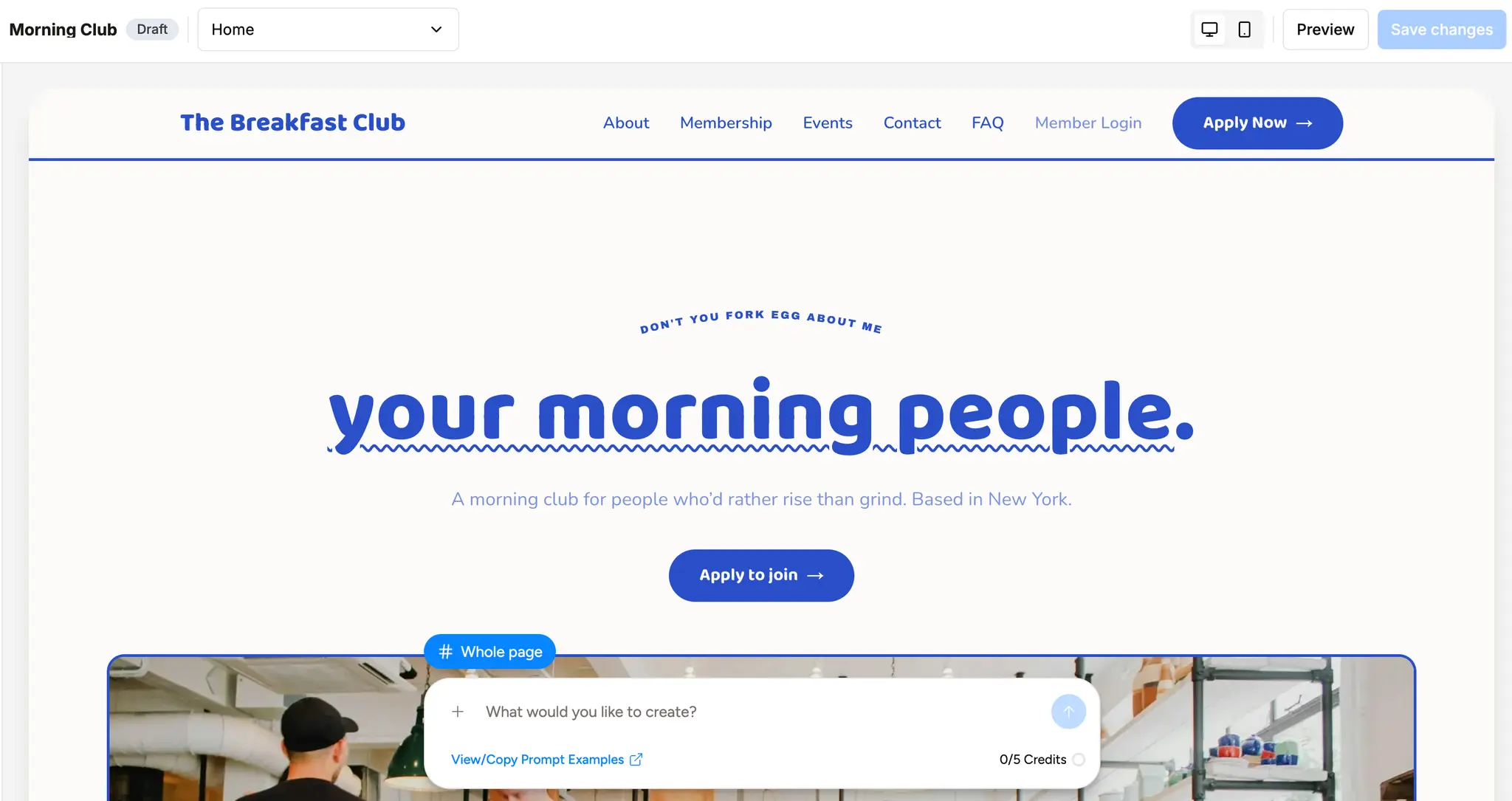
Either way, you land in the same editor with the same tools — canvas editing, prompting, section library, and your Brand Kit. Nothing is locked in. If you start blank and change your mind, you can always apply a template later (and vice versa, you can strip a template down to almost nothing).
Still unsure? Pick a template. You can always make it more "you" — that's the whole point.