
How to connect and manage domain names
Connect your own domain to any OhhWells site: go to Website → Site Settings → Domain, click + Custom Domain, then add an A record and a CNAME record at your domain provider.
Last updated September 23, 2026
What is a custom domain?
A custom domain is your own web address, like yourstudio.com, instead of a free address that includes the platform's name. You buy it from a domain provider (called a "registrar", such as GoDaddy or Namecheap) and then point it at your website. OhhWells calls this a custom domain on the Domain tab.
What you'll need
- A paid OhhWells plan. Custom domains are a paid feature.
- A domain you already own.
- Your login for the company you bought the domain from.
How do I connect my own domain to my OhhWells site?
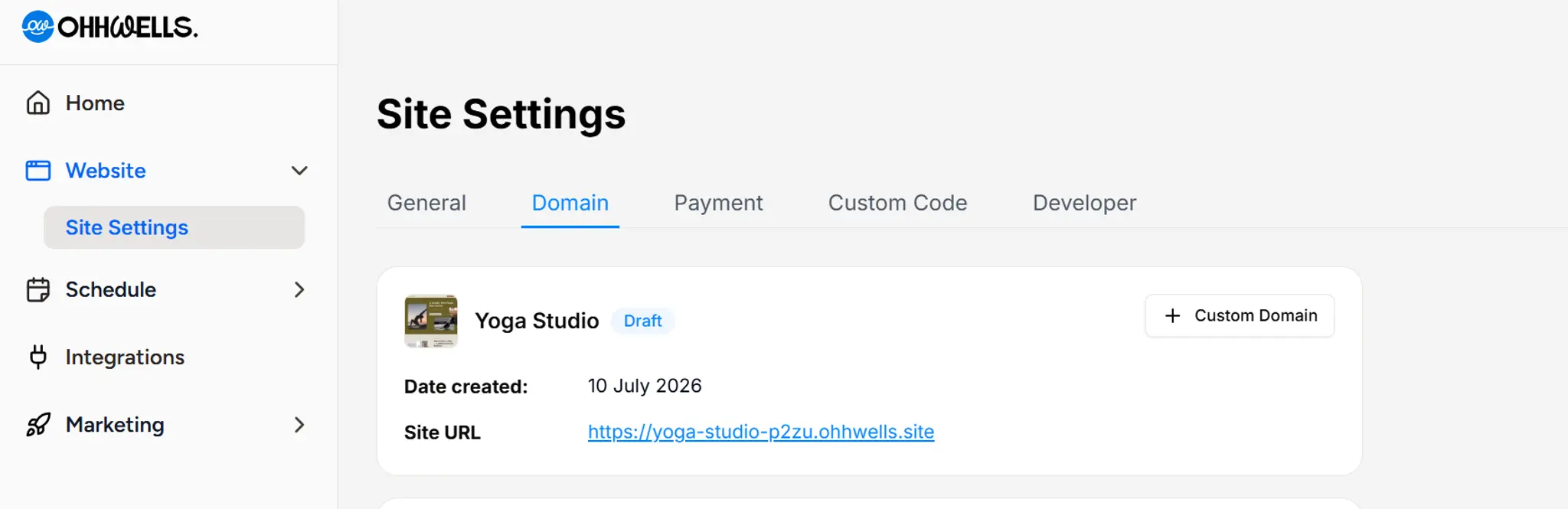
- From your dashboard left menu, go to Website → Site Settings.
- Click the Domain tab.
- Find the card for the site you want to connect.
- Click + Custom Domain.
- Enter the domain you own.
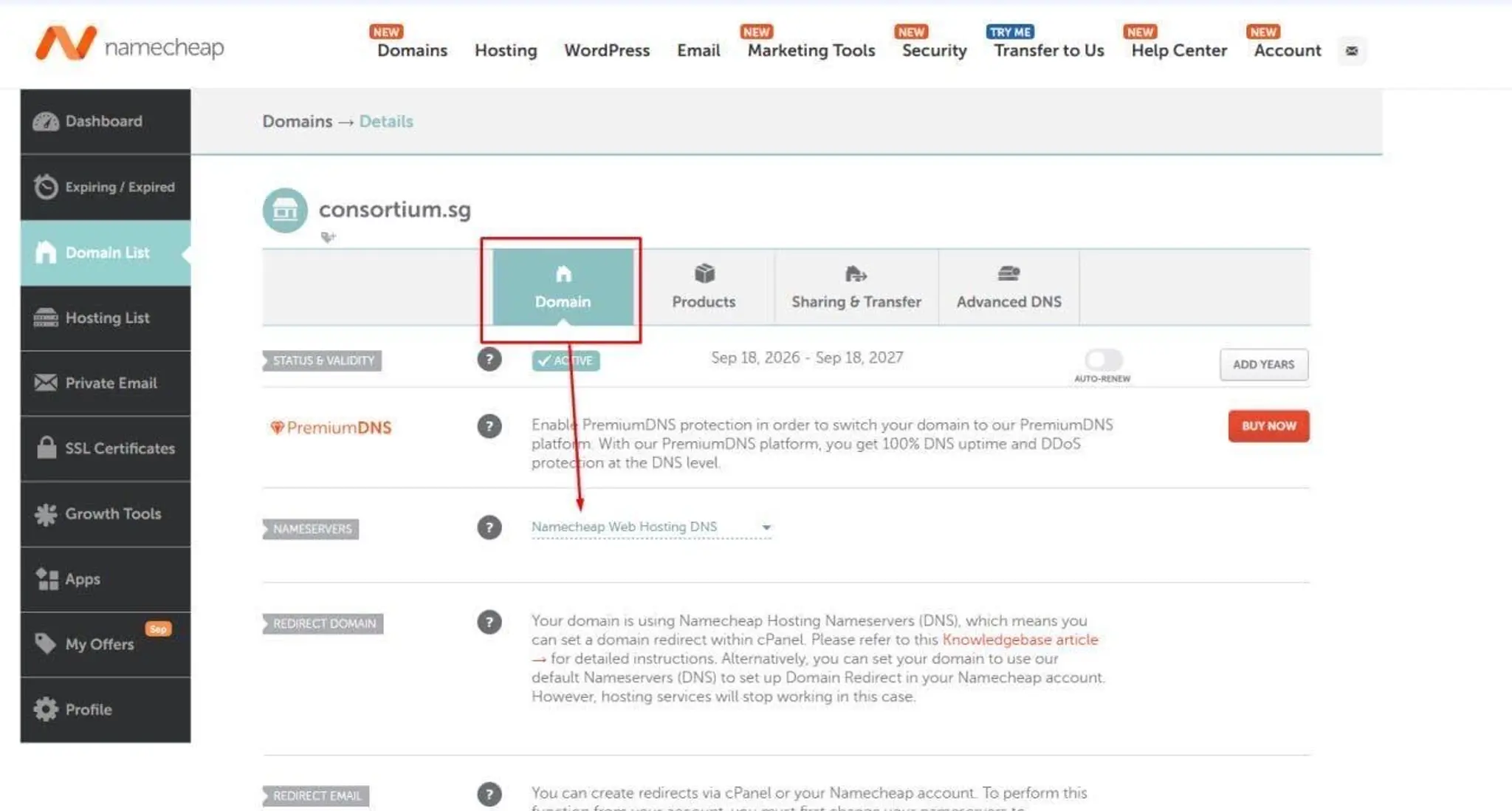
- We'll show you exactly which DNS records to add. Log in to your registrar (the company you bought the domain from, such as GoDaddy, Namecheap or Cloudflare) and add those records there.
- Save your changes and wait. Updates can take anywhere from a few minutes to 48 hours to spread across the internet.
- Go back to Website → Site Settings → Domain. When your domain is working, the site's card shows it as connected.
Manage or disconnect a domain
To check or change a connected domain, click Manage on the site's card. From there you can:
- Check the DNS status of your domain
- Disconnect the domain from your site
What if my site card says "Legacy editor"?
A Legacy editor badge means the site was built with OhhWells' original editor. Your account can have at most one of these.
- If it already has a domain: nothing changes. Your domain keeps working, and you can still click Manage to check or disconnect it.
- If it doesn't have a domain: sites on the original editor can't connect new domains, so there's no + Custom Domain button. Email us at support@ohhwells.com and we'll talk through moving it to the new editor.
Troubleshooting
I can't see a "+ Custom Domain" button
Either the site was built with the original editor, or your plan doesn't include custom domains. Check the card for a Legacy editor badge (see above). If there isn't one, check your plan.
My domain still isn't working after 48 hours
Check that the records at your domain company match the ones OhhWells gave you exactly, with no extra spaces. Then open your site in a private (incognito) browser window, which ignores old saved copies of pages. If it still doesn't work, click Manage to see the DNS status.
My domain is connected but my site isn't showing properly
Try disconnecting the domain and connecting it again. On the site's card in Website → Site Settings → Domain, disconnect the domain, then click + Custom Domain and connect it again. Before reconnecting, check that your A record and CNAME record are still in place at your domain company.
I have several sites. Which one will my domain go to?
The site whose card you clicked + Custom Domain on. Each domain connects to one site.
Can I change my ohhwells.site address?
Not at the moment. Addresses for new sites are created automatically, and legacy addresses can't be changed. Connect a custom domain to give visitors a friendlier address.
Still stuck? Start a chat and we'll sort it out.