
Rebrand your site: change colours and fonts everywhere at once
To rebrand an OhhWells site, change your brand style once (colours, fonts and buttons) and every page updates, with your layouts and copy left as they are.
Last updated November 6, 2026
To rebrand an OhhWells site, change the brand style once: update the colour palette, the heading and body fonts, and the button style. Every page and section updates immediately because they all read from that one brand style. You don't edit pages one at a time, and your layouts and copy stay exactly where they are.
Before you start
Have these ready:
- Your new hex colours (primary, background, text, one or two accents)
- Your new fonts — either names from the built-in list, or font files (.woff2 / .ttf) with a licence that allows web use
- Your new logo file (PNG, SVG or JPG, up to 5MB)
Step 1: Update the colour palette
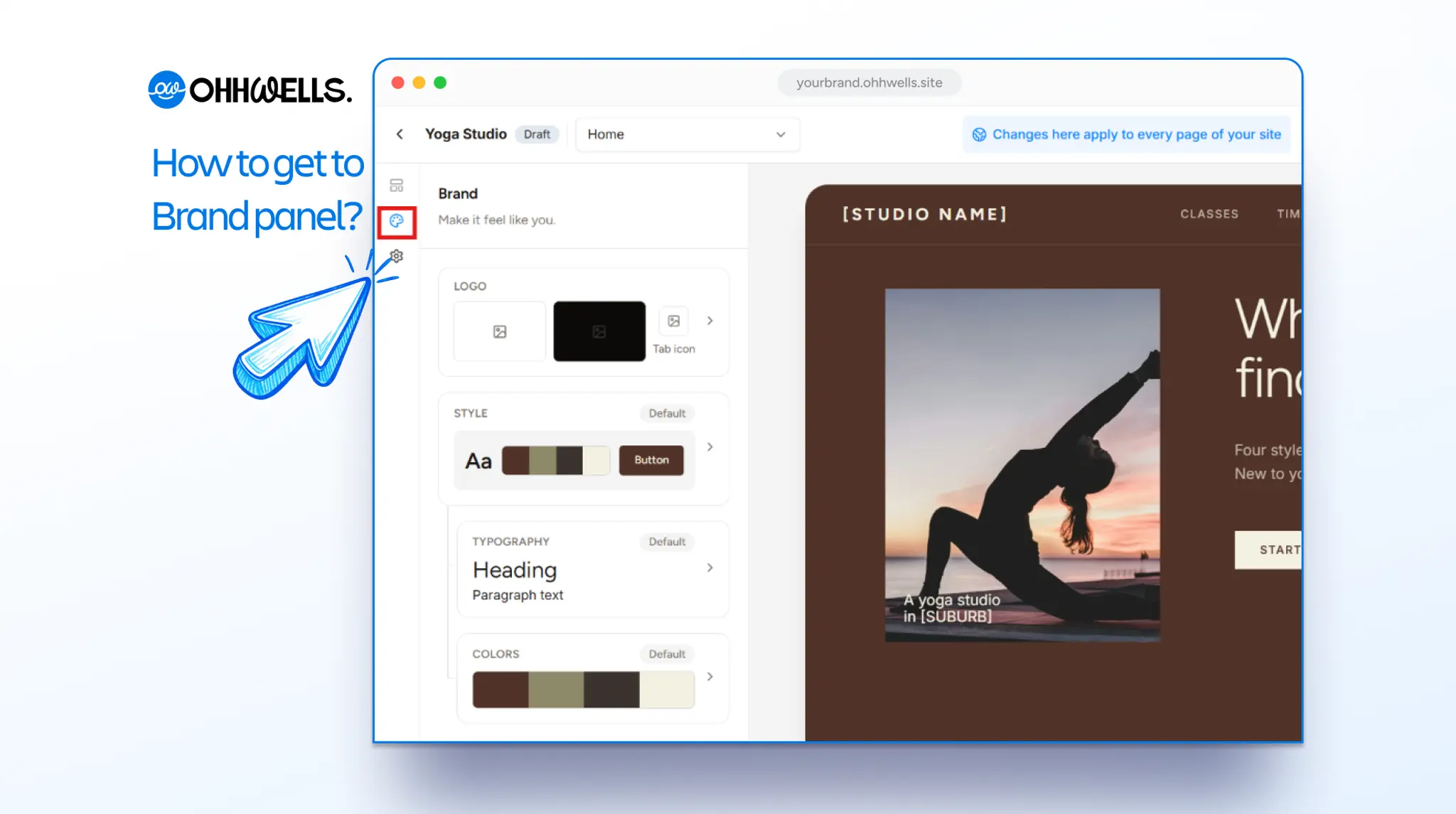
Open the editor and click the palette icon in the left sidebar to open the Brand panel. Click Colors and replace each colour with its new hex value. The whole site recolours as you type, so you can judge contrast on real pages before saving.
Step 2: Change the typography
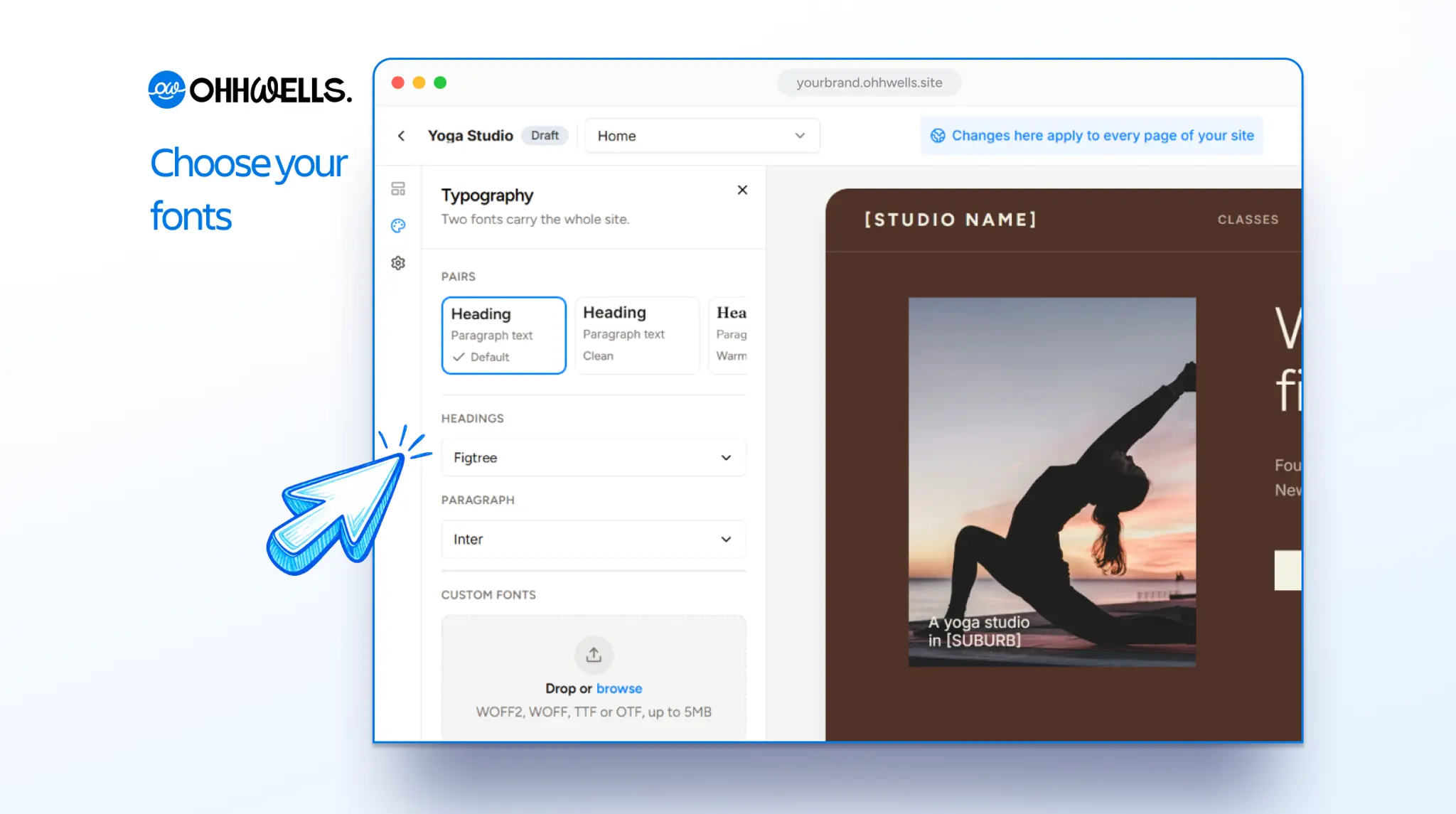
Pick a new heading font and body font, or upload your own. Uploaded fonts apply site-wide the same way built-in ones do. Check text at small sizes (captions, buttons) after switching; some fonts need a size adjustment there.
Step 3: Update buttons and logo
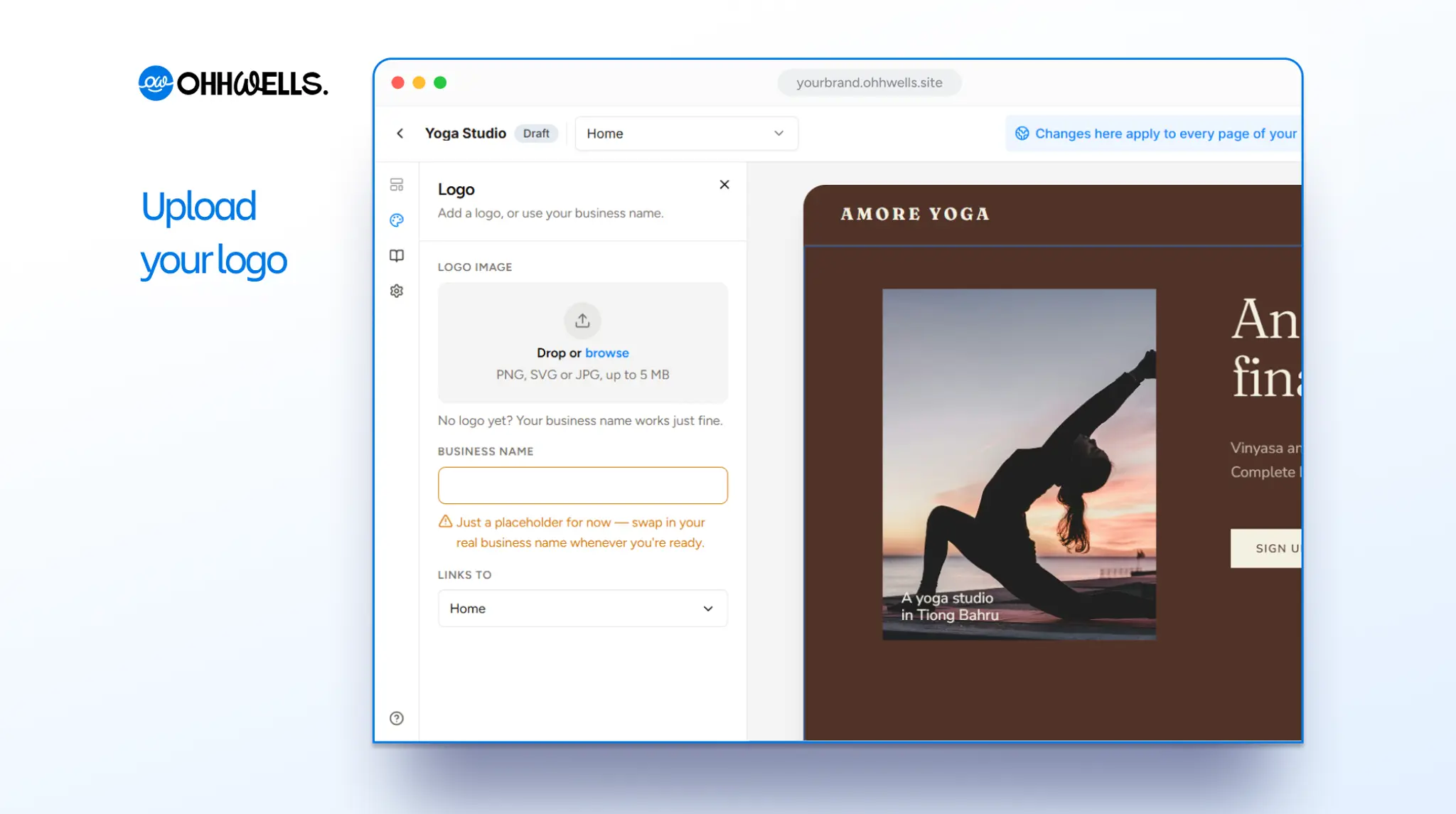
In the Brand panel, click Logo and upload your new logo, or type your business name if you don’t have one yet. Your logo updates in your menu automatically, so you don’t need to replace it page by page.
Your buttons already use your new primary colour. To change their shape, describe it in the prompt bar, for example: “Make all buttons pill-shaped”.
Step 4: Check images and hand-styled sections
Two things a brand style can't change for you:
- Images that carry old brand colours (banners, product shots with the old logo). Swap them.
- Sections you styled by hand with a one-off colour. Those overrides keep their old value — remove the override and the section falls back to the new brand style.
Step 5: Publish
Click Publish. The rebrand goes live on every page in one publish; no page-by-page republishing.
Changing your business description too?
If the rebrand comes with new offers or a new name, you can regenerate copy with a prompt rather than retyping. Select a section and say what changed:
Update this section for our new name, Studio North,
and our new focus on small-group classes only
The regenerated section uses the new brand style automatically.
FAQ
Will my layouts move when I change fonts? No. Layout and typography are separate. Headings may wrap differently if the new font is wider; adjust the heading size if so.
Can I preview the rebrand before publishing? Yes — changes show in the editor on every page before you click Publish.
I'm on a template. Can I still rebrand? Yes. The template's brand values became your brand style when you chose it; change them like any other site.
Does rebranding cost AI credits? No. Changing the brand style is a settings change, not a generation. Regenerating copy with a prompt does use credits.