
How do I check my AI credits?
See how many AI credits you have left in OhhWells, from the editor or in Settings, and when your credits reset.
Last updated November 18, 2026
You can check your AI credits in two places: the prompt bar in the site editor, or the Usage page in Settings. The editor gives you a quick count while you work. Settings shows your full balance, your plan's allowance and the date your credits reset.
How to check your credits in the site editor
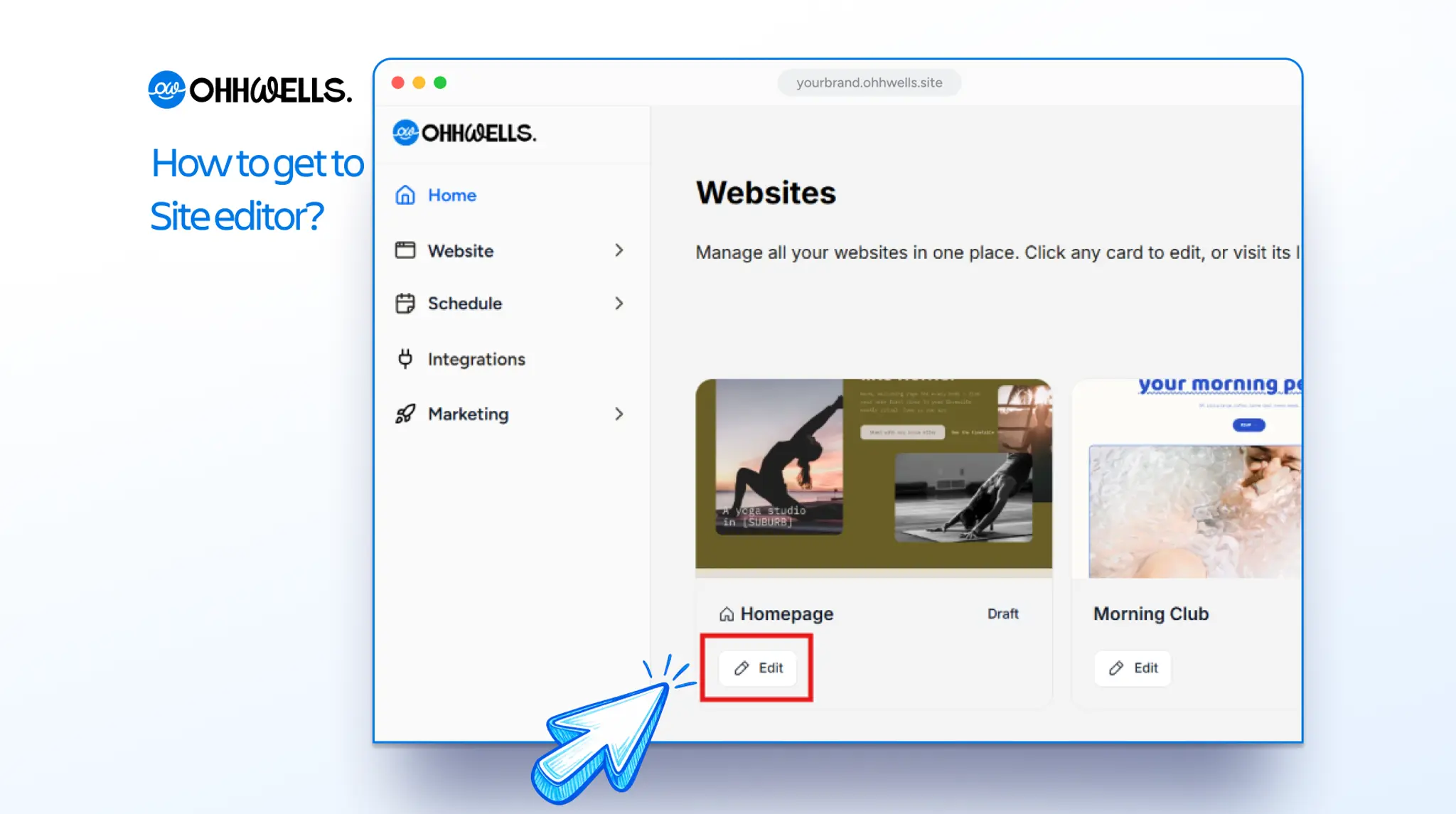
- From your dashboard, click Edit on the website you want to work on.
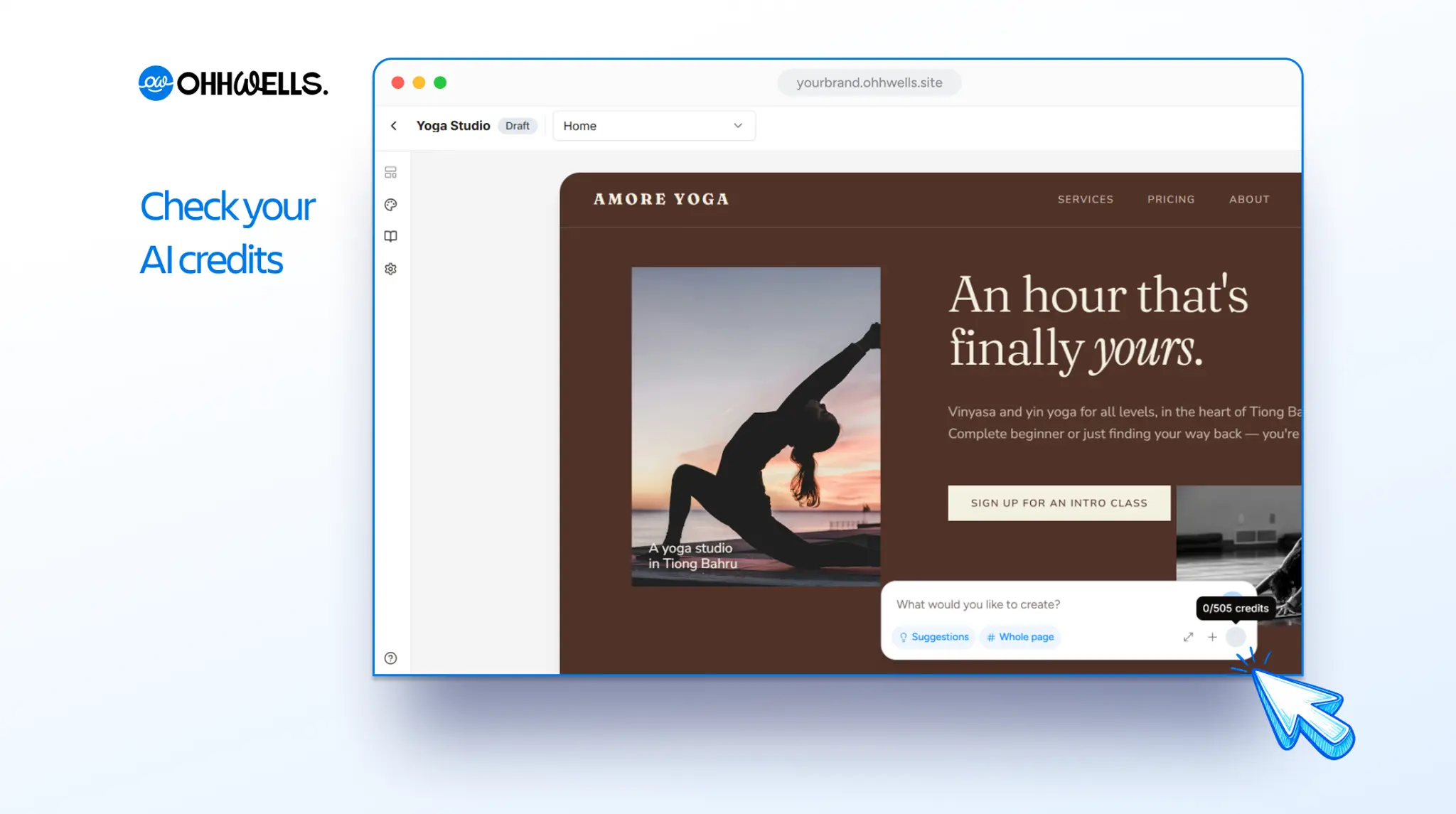
- In the editor, find the prompt bar at the bottom of the page, where it says "What would you like to create?"
- Hover over the circle next to the + button. A tooltip shows your credits, for example 0/505 credits.
How to check your credits in Settings
- Click the gear icon at the bottom left of your dashboard, next to your name and plan.
- Under Account, click Usage.
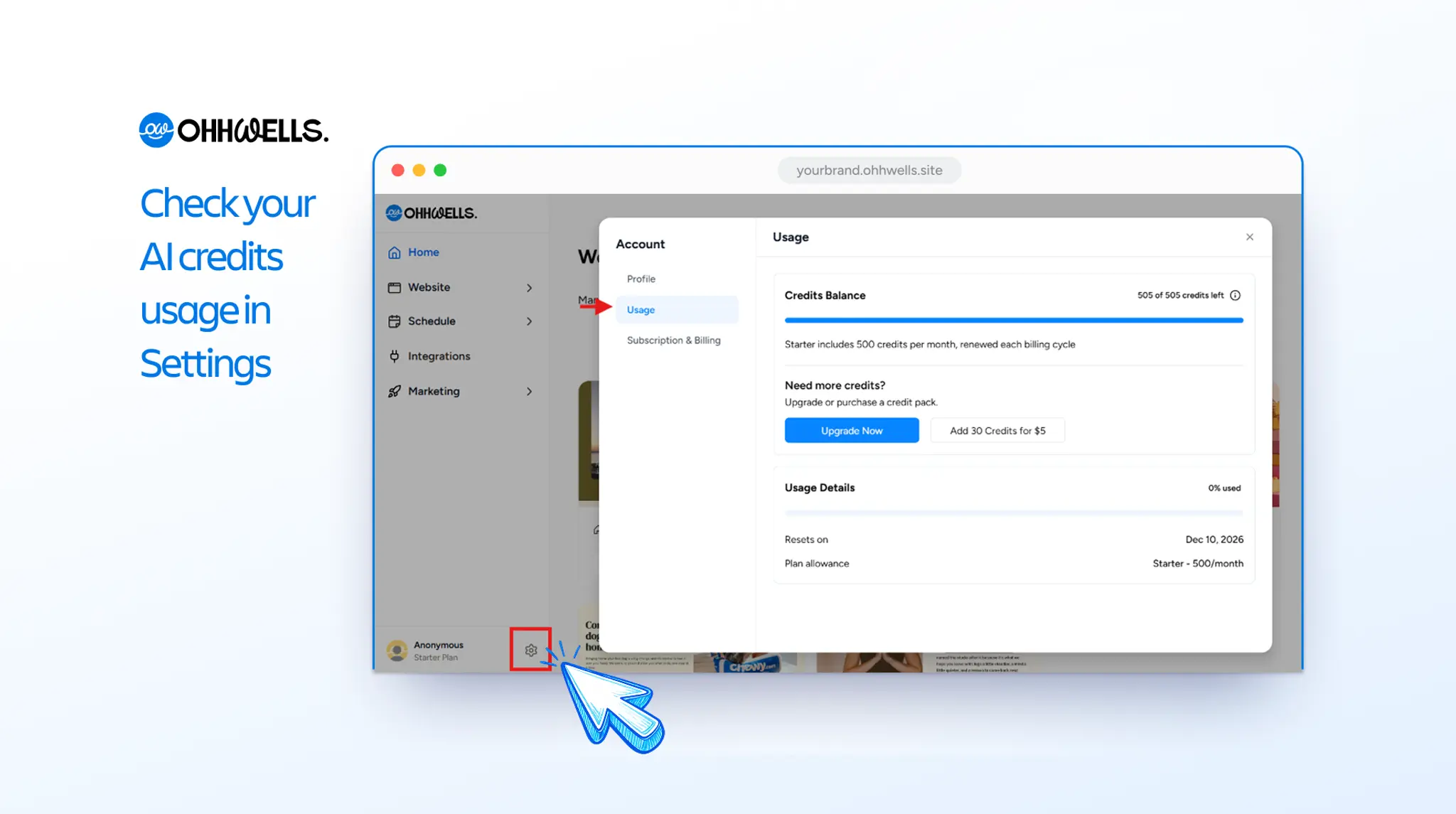
The Usage page shows:
- Credits balance: how many credits you have left, for example "505 of 505 credits left".
- Usage details: the percentage of credits you've used this cycle.
- Resets on: the date your monthly credits renew.
- Plan allowance: how many credits your plan includes each month. Starter includes 500.
How to get more credits
On the Usage page, under Need more credits?, you have two options:
- Click Add 30 Credits for $5 to buy a one-off credit pack.
- Click Upgrade Now to move to a plan with a bigger monthly allowance.
FAQ
When do my AI credits reset? Your credits renew at the start of each billing cycle. To see the exact date, open Settings, go to Usage and check Resets on.
Do unused credits roll over to the next month? No. Your monthly credits reset at the start of each billing cycle, so any you haven’t used don’t carry over. To see when your credits next reset, open Settings, go to Usage and check Resets on.
Do credits I buy expire?
No. Credits from a $5 pack don’t expire. They stay in your account until you use them, even after your monthly credits reset.
What happens when I run out of credits?
You can still edit your site by hand. Clicking text, changing images and using the Brand panel don’t use credits, so you only need credits for AI prompts. To keep using AI, buy a 30-credit pack for $5 or upgrade your plan from the Usage page in Settings.